Enable HTTPS with Free Pascal’s TFPHTTPServer
Background
The grand opening paragraph about cybersecurity below was generated by AI. It sounded much more formal than the way I usually write.
I could not find a clear explanation of HTTPS setup in the Free Pascal documentation, and the fcl-web examples did not include an easy-to-follow server example. This post shows how I enabled HTTPS in a Lazarus application with TFPHTTPServer.
Demo
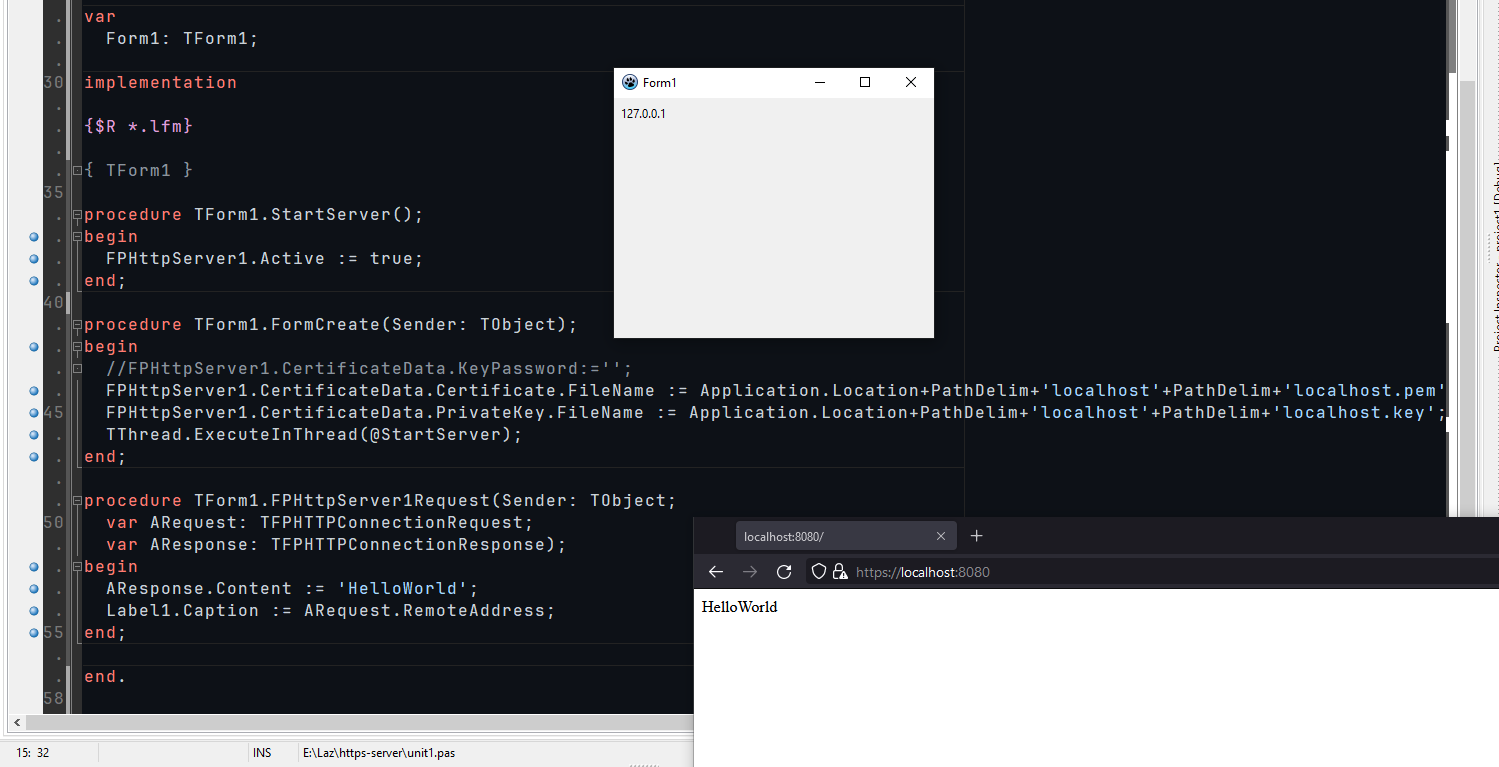
The screenshot shows the result. The relevant code is included below.
Prepare a certificate
Prepare a certificate and private key. For my test, I generated a certificate online and put the files in a localhost directory inside the project. A self-signed certificate is suitable for local testing, but browsers will not treat it as a trusted production certificate.
Add and configure the server component
Install Lazarus’s built-in lazweb package so you can place the TFPHTTPServer component on a form. You can also create the server in code.
Set UseSSL to True and configure the certificate data. The screenshot also shows the HostName property. In current Free Pascal documentation, HostName is deprecated in favor of CertificateData.HostName; the code below sets the certificate and key files explicitly.
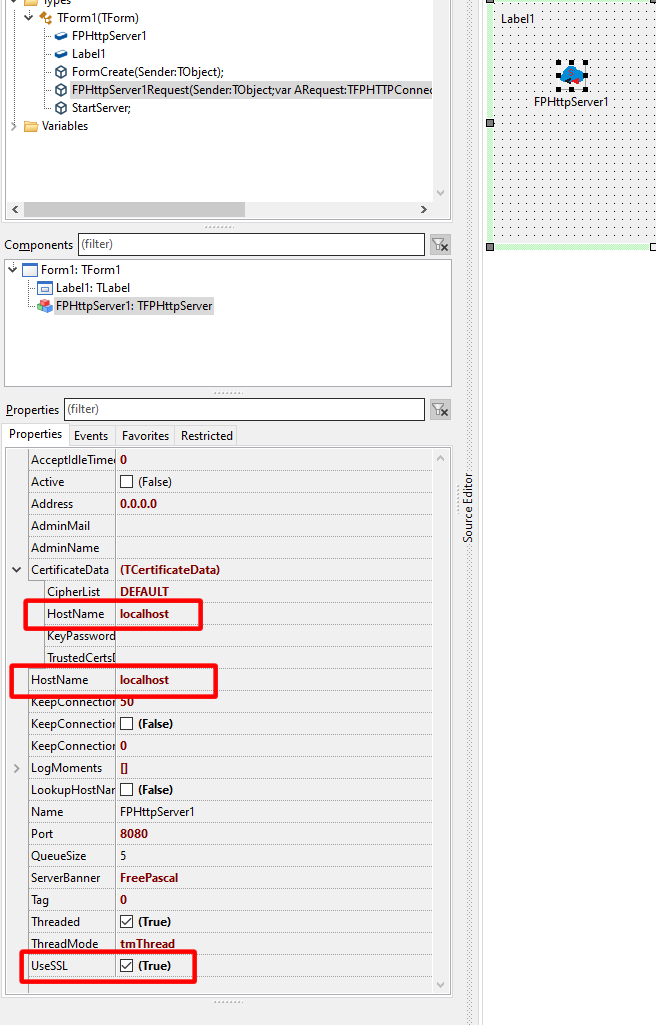
For example, set the certificate and private-key paths like this:
FPHttpServer1.CertificateData.Certificate.FileName :=
  Application.Location + PathDelim + 'localhost' + PathDelim + 'localhost.pem';
FPHttpServer1.CertificateData.PrivateKey.FileName :=
  Application.Location + PathDelim + 'localhost' + PathDelim + 'localhost.key';
Start the server and handle requests
After configuring the component, activate it:
FPHttpServer1.Active := True;
Here is a minimal request handler:
procedure TForm1.FPHTTPServer1Request(Sender: TObject;
  var ARequest: TFPHTTPConnectionRequest;
  var AResponse: TFPHTTPConnectionResponse);
begin
  AResponse.Content := 'HelloWorld';
  Label1.Caption := ARequest.RemoteAddress;
end;
If the request callback runs on a worker thread, update GUI controls through Lazarus’s thread-safe synchronization or queue mechanism instead of assigning to Label1 directly.
Register an SSL handler
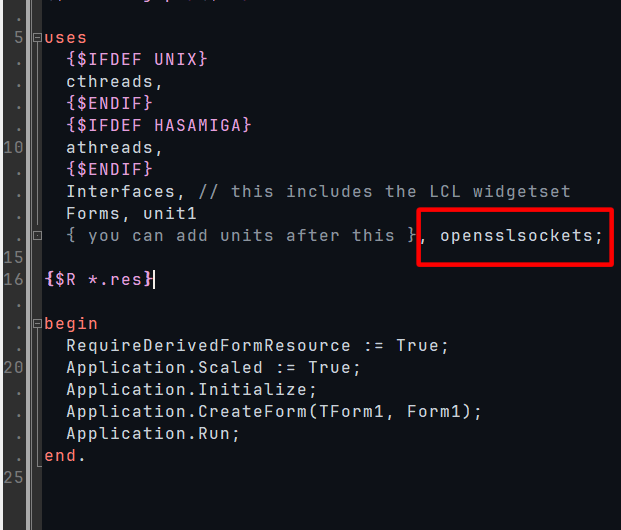
This example uses OpenSSL. Add opensslsockets to the program’s uses clause in the .lpr file. Free Pascal also supports registering a GnuTLS handler with gnutlssockets; include one SSL handler unit. See the Free Pascal mailing-list explanation of HTTPS with TFPHTTPServer.
The program must be able to load the SSL libraries that match the handler and target platform. On Windows, the required DLL names and versions depend on the FPC/OpenSSL combination, so package compatible runtime DLLs with the application when needed. A missing or incompatible library can cause an SSL socket initialization error.
Test the HTTPS endpoint
Compile and run the application, then open the server address in a browser using the https:// scheme. If the server listens on a port other than 443, include that port in the URL, for example https://localhost:8443/.
For the component’s current properties, see the Free Pascal TFPHTTPServer reference.